
Kimi AI with K3, after I opened the composer and the platform pages
Moonshot ships Kimi as agentic coding and knowledge work: K3 on the homepage, Kimi Code in the terminal, Kimi Work on the desktop, and a sidebar full of modes I did not all click in one visit. This is my notebook, not their login screen.
The first thing that stuck was how crowded the left rail is — Swarm, Slides, Deep Research, Websites, Docs, Sheets, Design — while the center stays a single prompt box. I read that as one assistant wearing many hats, not seven separate products, though Kimi Work and Kimi Code do have their own URLs.
Lineup first
Names Moonshot actually lists today
K3 is the flagship on www.kimi.ai and platform.kimi.ai. K2.7 Code and K2.6 remain on the API models table. Kimi Work and Kimi Code are products with their own pages, not just model slugs. I spelled every name the way their pages do.
Kimi K3
Flagship with a 1M-token context window. Moonshot positions it for long-horizon coding, knowledge work, and reasoning.
Kimi K2.7 Code
Coding model on the API platform. Kimi Code CLI showed it as the default model label before I switched to K3.
Kimi K2.6
General-purpose model with vision and text input, thinking and non-thinking modes, on the platform models list.
Kimi Work
Desktop agent for knowledge work: local files, WebBridge browser automation, Cron schedules, and Swarm.
Kimi Code
Terminal and IDE coding agent. One-line install on code.kimi.ai; K3 selectable via /model.
A note on this site. Kimi AI notes is an independent overview. It is not the official Kimi AI website. Facts come from pages I opened on www.kimi.ai, platform.kimi.ai, and code.kimi.ai. For the product itself, use the official Kimi AI website.
What showed up on official pages
K3 case stills, plus text and code I kept
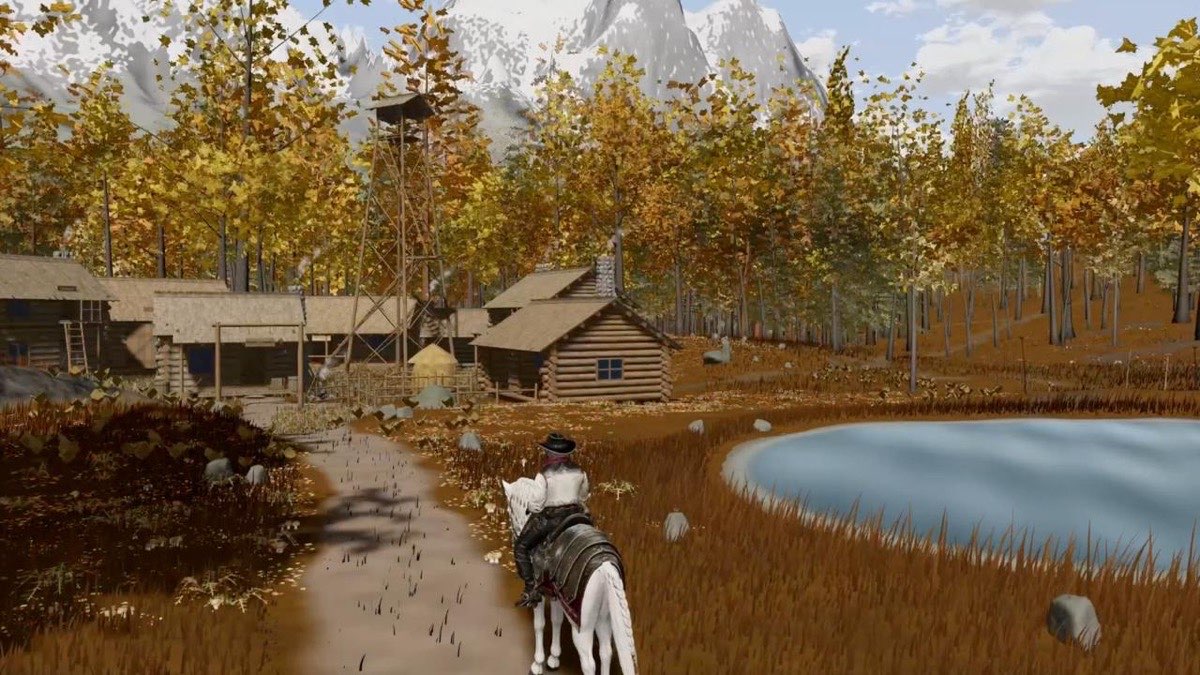
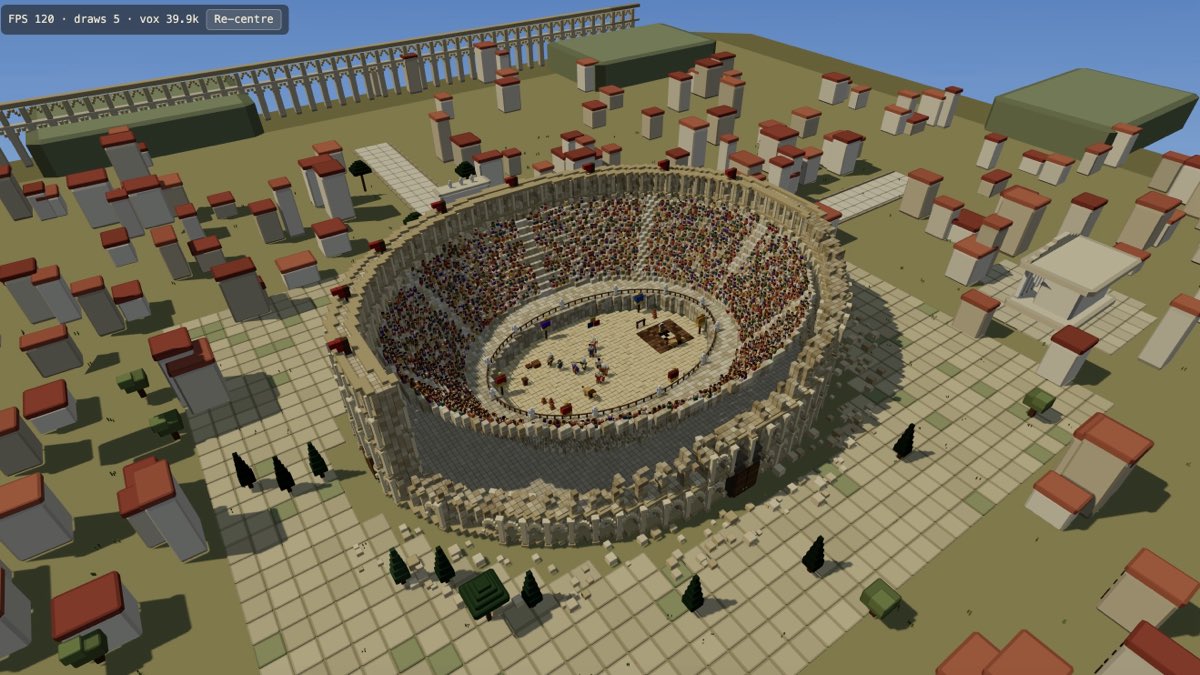
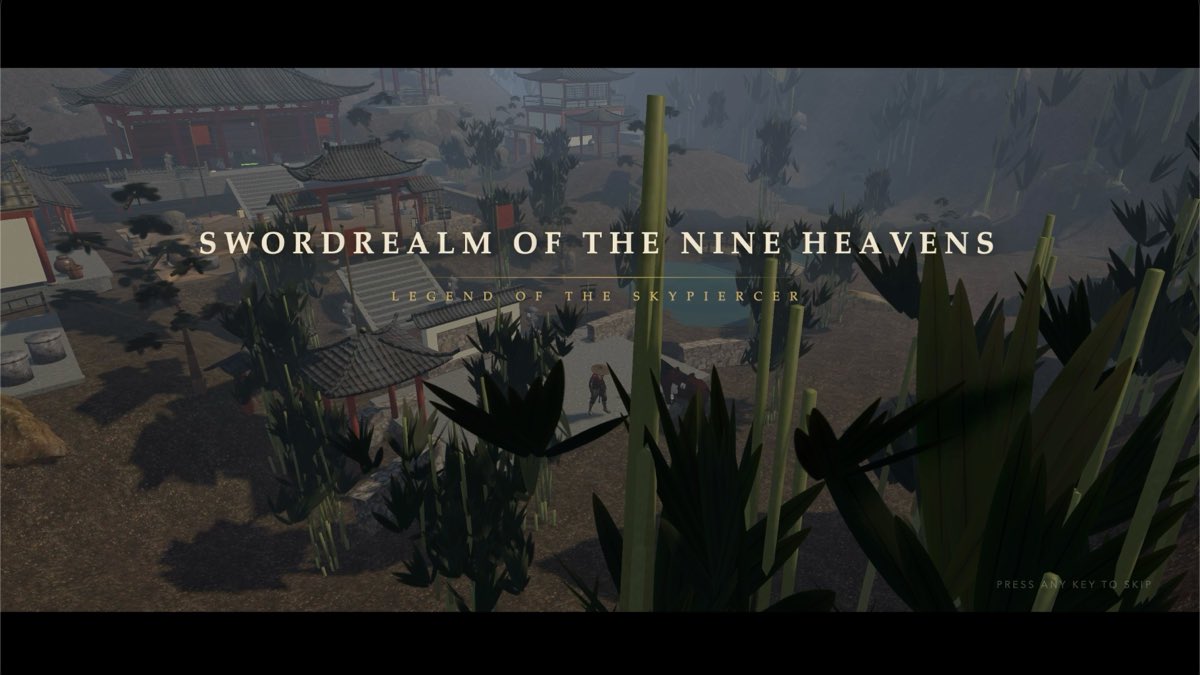
The game screenshots below are official K3 marketing stills from Moonshot's K3 page — open worlds, a cyberpunk swing scene, a voxel arena, a wuxia RPG. They are outputs of long agent runs, not stock filler I invented. Text and code cards are honest snippets from how I would use Deep Research and Kimi Code.

Topic: Compare Kimi K3 pricing tiers for a small dev team
I asked for a structured brief, not a sales deck. The answer pulled platform.kimi.ai pay-as-you-go numbers, noted the 1M context window on K3, and flagged that web_search tooling was marked as updating on the docs page. I still opened the pricing table myself before forwarding anything to finance.
Deep Research: a pricing brief I still opened the table for
Prompt: Turn this earnings PDF into a one-page memo with a chart
The composer showed Swarm, Slides, and Deep Research as chips below the input — the same shortcuts the sidebar lists. I picked Deep Research because the source was a 40-page PDF, not because the chip looked flashy. The mode label stayed visible the whole run.
Composer: mode chips that mirror the sidebar shortcuts
# Kimi Code CLI — first turn I would still verify
moonshot@KimiCode 🚀 refactor auth middleware

● Reading src/middleware/auth.ts and tests/auth.test.ts
● Plan: extract token verify, add refresh rotation flag
● Waiting for approval before writing files...
Kimi Code: first CLI turn I would still verify locally
Modes in the product
Shortcuts the live sidebar actually exposes
These match what I saw in the composer chrome, not pillars I invented for SEO. Each card links to a short note on this site.
Deep Research
Long-form research mode in the sidebar and composer chips — built for reports you can drill into.
Swarm
Multi-agent coordination on hard tasks; Kimi Work also advertises Swarm for parallel specialized agents.
Docs & Sheets
Documents and Sheets shortcuts in the composer — spreadsheet and doc workflows without leaving chat.
Websites & Design
Websites and Design entries in the sidebar for site and visual deliverables from prompts.
Kimi Code
Kimi Code in the sidebar and on code.kimi.ai — terminal agent with IDE support and K3 selection.
What it is
What Kimi AI is, in plain language
Kimi AI is Moonshot AI's assistant on the official Kimi AI website, built around the K3 model for long-horizon coding, knowledge work, and reasoning. The homepage title when I opened it read Kimi AI with K3, positioned for agentic programming and knowledge tasks. That is the positioning I saw, not a ranking I invented.
The same surface exposes a dense tool rail: Swarm for multi-agent work, Slides and Deep Research for deliverables, Websites and Design for visual outputs, Docs and Sheets for document workflows. Kimi Work links out to a desktop agent with local files, WebBridge browsing, Cron schedules, and finance data hooks. Kimi Code links to a terminal and IDE agent with a one-line install. I am repeating what those pages claim because I read them there, not because I bench-tested every mode in one afternoon.
On platform.kimi.ai, Moonshot lists Kimi K3 with a 1M-token context window and per-token pricing, plus K2.7 Code and K2.6 for coding and general vision-text work. The K3 product page adds bolder claims — playable games, polished decks, interactive research reports, even video edits from dozens of source clips — as examples of long-running technical work. I treat those as marketing proofs on Moonshot's site, not as guarantees about my own next prompt.
I did not log in from this overview, so history sync and paid plans are outside what I can verify here. If a feature sounded like a rumor or a competitor's trick, I left it out. Moonshot also points to Hugging Face weights and a Kimi K3 License for self-hosting — that is a different buyer than someone clicking New Chat.
When I would reach for it
Jobs I would hand Kimi, and where I would stop
I keep a short list: repo-wide coding with Kimi Code, a PDF that becomes a report in Deep Research, a deck from Slides, overnight automation in Kimi Work, and a recurring Scheduled Task when Cron is already set up. Each note links onward; none of them replace reading Moonshot's live docs.
Long-horizon coding
K3 and Kimi Code when the job spans many files and tool calls, not a single snippet.
Deep research reports
Deep Research when the source is long PDFs or many tabs, not a quick question.
Desktop automation
Kimi Work when local folders, WebBridge, or overnight Cron jobs are part of the job.
Scheduled tasks
Scheduled Tasks in the sidebar plus Kimi Work Cron for recurring agent or script runs.
Presentations & slides
Slides in the composer when the deliverable is a deck, not a chat paragraph.
What I keep
Why the product feels plausible to me
One composer, many deliverables
Slides, Docs, and Deep Research live next to chat instead of sending me to unrelated apps. I still pick the mode on purpose — I would not ask Slides for a git bisect.
Context that matches the pitch
K3's 1M-token window is the spec Moonshot repeats on both the consumer K3 page and platform.kimi.ai. Long PDFs and big repos are the obvious test; I have not filled a million tokens just to prove the counter.
Desktop when the web tab is not enough
Kimi Work's WebBridge and local folder access are credible for analysts who live in files and browsers. Ask-before-acting on file writes is the safeguard I would insist on before trying it on real data.
Terminal agent with a named coding model
Kimi Code shows K2.7 Code in its sample CLI and documents K3 via /model. That split matches how I think about daily driver vs frontier model, even if I personally start with K3 for hard tasks.
If the lineup already matches your job, take the next step
Try nowWho it is for
Who I would send this notebook to
Developers evaluating agentic IDEs
If you already live in Cursor or VS Code, Kimi Code is the obvious trial. I would not rip out your toolchain on a landing page paragraph alone.
Analysts drowning in PDFs
Deep Research and long context are the pairing Moonshot advertises. You still owe the source documents a human read before a client sees the memo.
Knowledge workers who want a desktop employee
Kimi Work targets local files, scheduled jobs, and browser automation. That is a different comfort level than a web tab you close at 5 p.m.
Teams comparing open frontier models
K3's open-weight story matters if you self-host. The web app and API are the faster door for most people; weights are for operators who already run GPUs.
Questions I keep getting
Six answers after the live pages
Kimi AI is Moonshot AI's assistant for agentic coding and knowledge work. The consumer surface I opened is the official Kimi AI website: a composer with Swarm, Slides, Deep Research, Websites, Docs, Sheets, and Design in the sidebar, plus Kimi Work and Kimi Code links. K3 is the flagship model on the homepage title. This page is my independent notes. It is not Moonshot's product site.
The homepage I opened resolves to the official Kimi AI website (www.kimi.ai). Developers also use platform.kimi.ai for the API and code.kimi.ai for Kimi Code. Primary buttons on this overview open a local next-step dialog; they do not log you into Kimi.
For frontier work Moonshot advertises Kimi K3: 2.8T parameters, native vision, 1M context. For API coding tasks the platform still lists Kimi K2.7 Code. Kimi K2.6 remains for general vision-and-text work at 256k context. In Kimi Code CLI, use /model to pick K3. I have not run every benchmark they cite.
The K3 product page shows playable games, presentation decks, interactive research reports, and video edits as outputs of long-running agent work — not a separate image generator like a stills-only product. The sidebar also exposes Slides, Deep Research, Websites, Docs, Sheets, and Design as modes. I describe what those pages claim; I did not finish every deliverable myself in one sitting.
Kimi Work is the desktop agent Moonshot positions for local files, WebBridge browser automation, Cron schedules, Swarm, and finance data integrations. The web composer is better for quick chat and mode chips. The Kimi Work FAQ I opened states the desktop app mounts folders and runs scheduled tasks — a system-level employee, not just a tab.
No. This is an independent overview. Product facts come from www.kimi.ai, platform.kimi.ai, and code.kimi.ai pages I opened. For the product itself, use the official Kimi AI website. Primary buttons here open a local dialog. They do not create a Kimi account.
Reader notes on this overview
Five reader impressions of this overview, not official product reviews.
I keep Kimi K3 open for repo-wide questions. The 1M context claim is what made me try it. I still spot-check anything I paste into a PR description.
Elena V. · 5 of 5
Deep Research saved me a afternoon on a vendor comparison, then overstated one pricing footnote I had to reopen. Useful, not oracle.
Marcus D. · 4 of 5
Kimi Code plan mode is why I trust it on our middleware folder. I rejected two file writes. That pause matters more than speed brags.
Priya N. · 5 of 5
The K3 game stills on Moonshot's page look like campaign work. I have not built my own playable world yet, so I will not pretend I have a verdict on spatial reasoning.
Jonah K. · 4 of 5
Kimi Work WebBridge is the feature I would try first if I already lived in spreadsheets. I did not turn on overnight Cron on a laptop I close every night.
Hana S. · 5 of 5
When the notes are enough, open the product
This site will not sign you in or bill you. The next honest step is the official composer, or the model catalog if you are still choosing a name.